- Published on
Custom Configuration
- Authors

- Name
- Simple Blog
Simple theme blog template based on Vitepress.
The simplest theme style is used to complete a blog template with complete functions.
- Has a custom About page
- Have a simple Blog page
- Has a simple Project page
introduce
Simple theme blog template using Vitepress.
Example
What you see now is what this blog looks like. Continue reading the documentation if you like. Configure this theme as your blog.
source code
Download project & install dependencies
# Install
git clone git@github.com:elonehoo/vitepress-theme-simple.git

# Enter the project directory
cd vitepress-theme-simple

# install dependencies
pnpm install
Change setting
Modify config.ts
import { defineConfig } from 'vitepress'

export default defineConfig({
  base:'/',
  title: 'Simple',
  description: "vitepress theme simple",
  head: [
    [
      'link',
      {
        rel: 'icon',
        type: 'image/x-icon',
        href: '/logo.svg'
      }
    ]
  ],
  vite: {
    build: {
      minify: 'terser'
    }
  }
})
base
If you need to put this project under the username.github.io repository, no changes are required.
If you need to put this project in another repository, you need to change the base option to the name of the repository.
title
The title of the website. All page titles will have this suffix.
description
A description of the site. This will be rendered as a tag in the HTML page.
Modify logo
Lgoo chooses to use SVG as the logo file type as much as possible. logo.svg is stored in the public file, and the icon of the blog can be modified by modifying this file.
Modify About page
---
englishName: your english name
organizeLink: your github organize link
organizeName: your github organize name
githubLink: your github link
speakLanguage: your speak language
languageName: your language name
languagePronunciation: you language name pronunciation
title: About
---
If there is a better design or a better template for you to choose, you can directly modify the code in the .vitepress/theme/Me.vue file.
Modify the Projects page
This is one of the pages I'm more satisfied with, so let me explain in advance that if you have better ideas, you can directly modify the code in the .vitepress/theme/Projects.vue file.
Add item
You can add your own projects in projects.md, e.g.
projects:
  project groups name:
    - name: 'your project name'
      link: 'your project link'
      desc: 'your project description'
      icon: 'your project icon'
Add item icon
Add an icon *.vue file under .vitepress/theme/icon/, the example is as follows
<template>
<svg t="1649992137654" class="icon" viewBox="0 0 1024 1024" version="1.1" xmlns="http://www.w3.org/2000/svg" p-id="3794" width = "48" height = "48"> <path d = "M554.666667 725.333333v-85.333333h-85.333334v85.333333h85.333334zM532.48 366.037333a64 64 0 0 0-83.114667 47.445334l-83.498666-17.578667A149.333333 149.333333 0 1 1 554.666667 569.770667v597.3333333H-85.33333333HH-85.333334V-64A42.666667 42.666667 0 0 1 42.666667-42.66666 64 64 0 0 0 20.48-124.629334Z "P-ID =" 3795 "> </ path> <path d =" M682 .666667 85.333333l213.333333 213.333334v597.333333a42.666667 42.666667 0 0 1-42.666667 42.666667H170.666667a42.666667 42.666667 0 0 1-42.666667-42.666667V128a42.666667 42.666667 0 0 1 42.666667-42.666667h512zM213.333333 853.333333h597.333334V341. 333333h-170.666667V170.666667H213.333333v682.666666z" p-id="3796"></path></svg>
</template>
Then add the icon in .vitepress/theme/projects.vue
First import the icon in
<script setup></script>import Simple from './icon/Simple.vue'Then add a line of code to line 37
<IconName v-else-if="item.icon === 'your project icon'" class="text-4xl opacity-50" />
This completes the introduction of new icons.
Add blog
Modify blog style
If you have this requirement, you can directly modify the .vitepress/theme/Article.vue file to modify the style
If you need to modify the styles like author and time, you can directly modify .vitepress/theme/Author.vue and .vitepress/theme/Date.vue.
Add blog
Add a md file in the posts directory, remember that the name cannot be Chinese.
at the beginning of the md file, e.g.
---
title: this blog title
date: this blog date
author: this blog author
twitter: 'this blog author twitter'
---

this blog description

---

content
will render as
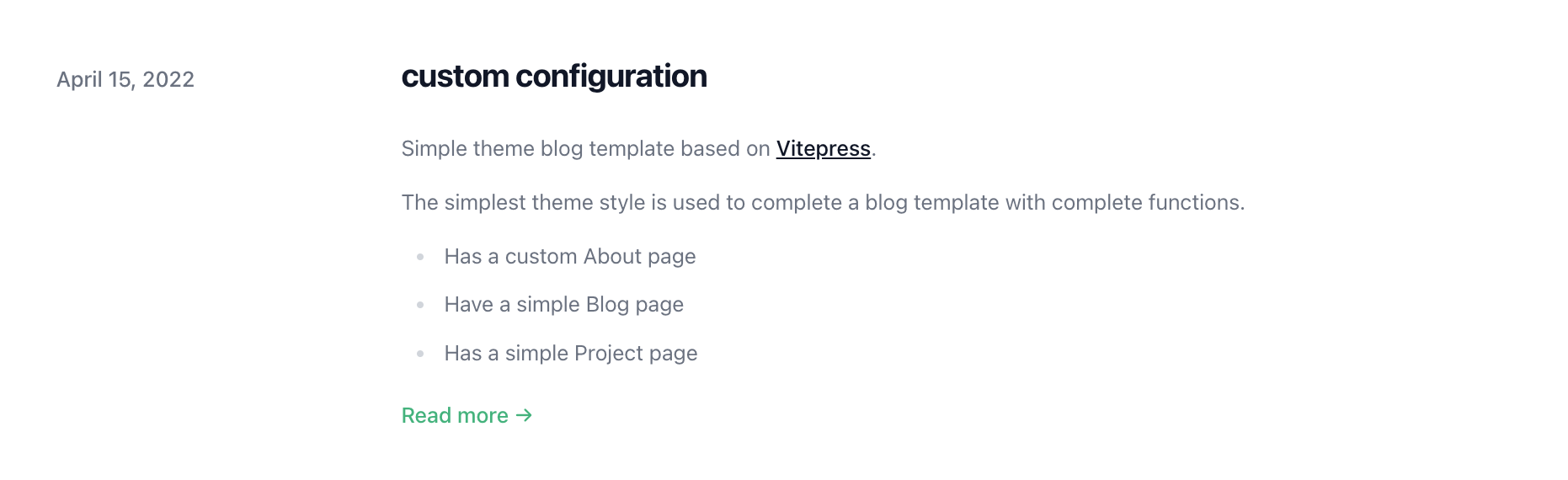
The content is rendered as
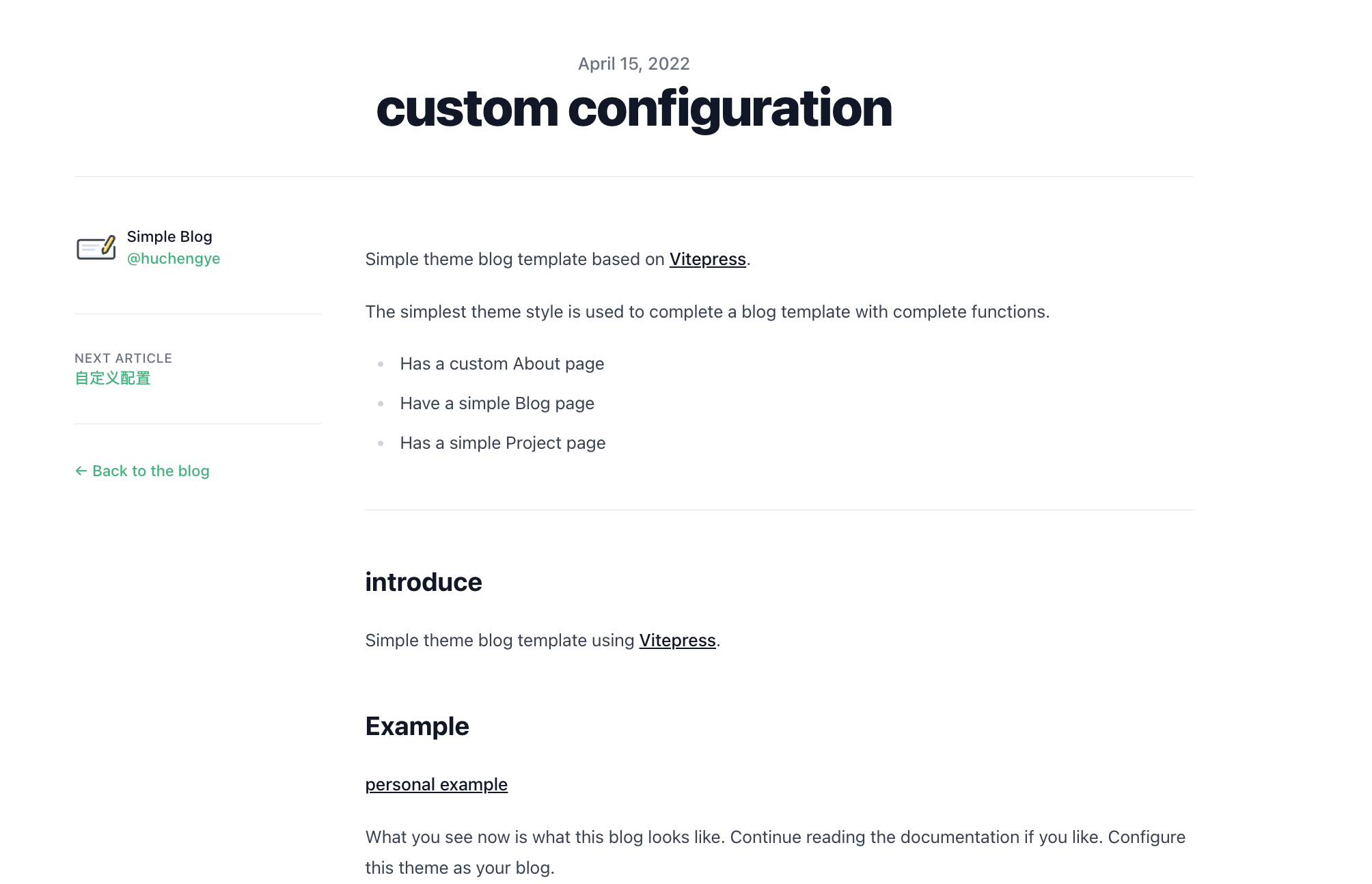
detail
I believe you have also discovered that there are still a few details in this way that have not changed. Then here will take you to change these places.
First, lets open .vitepress/theme/Layout.vueOn lines 12 and 5 we makeSimple Blog` the name you want.
If there are still places that have not been modified, you can file an issue.
deploy
Deploy on GitHub, this project has become something you don't have to consider at all, modify a line of code in .github/workflows/build.yml, and change simple.elonehoo.xyz to your domain name on line 30 That's it.